

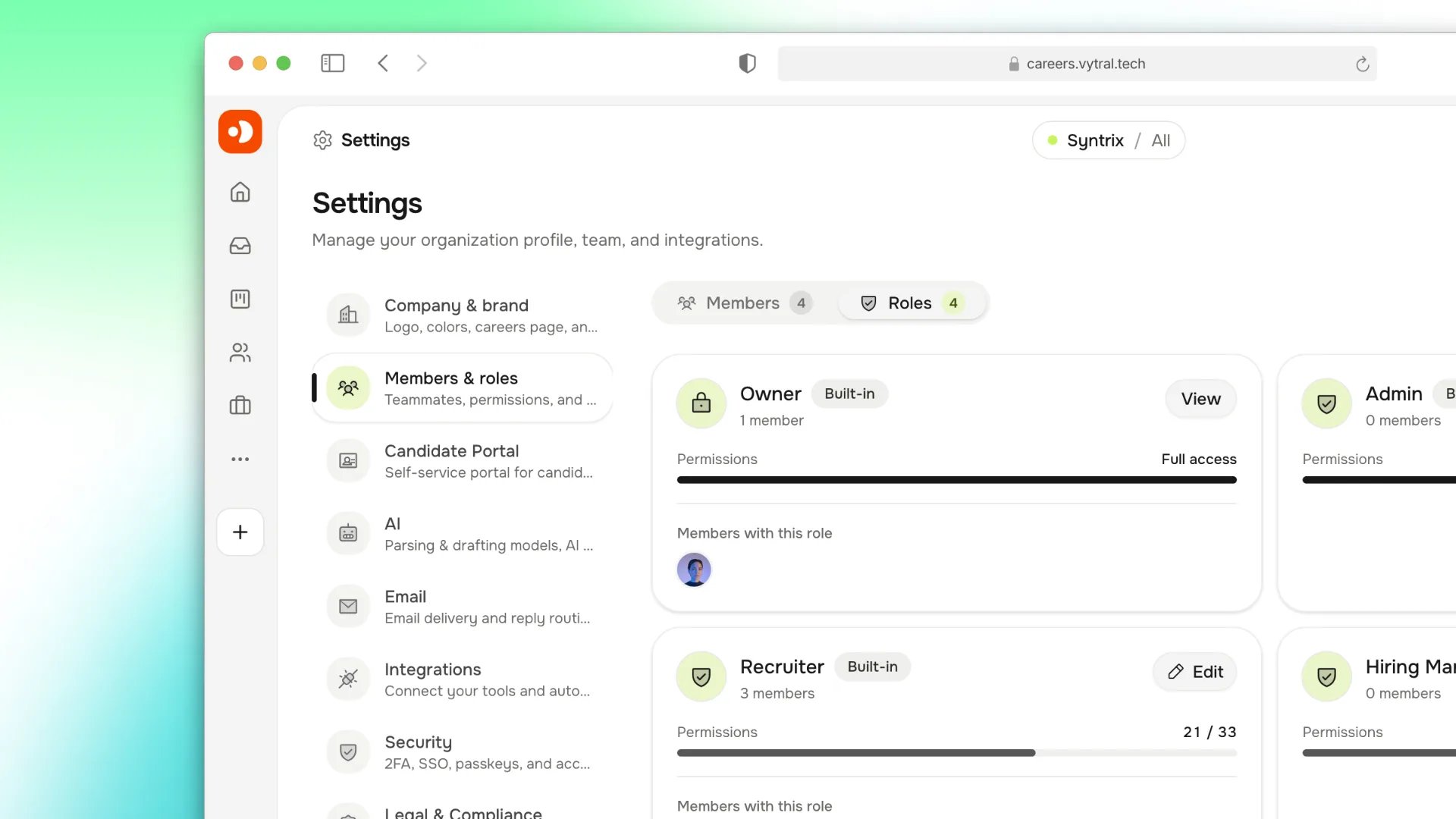
Workspace roles and permission scopes for least-privilege access.
Built-in roles
Create a custom role
Only members with theroles:manage permission can create or edit roles. The
role editor is in Settings → Members & roles → Roles → New role. The
/settings/roles path redirects to this page.
1
Name the role
Enter a name between 2 and 40 characters, such as
Sourcer. Harly creates
a slug-like role key from the name. A role key that collides with a
built-in key (owner, admin, recruiter, or hiring_manager) is
rejected.2
Set the access scope
Choose All matching jobs or Assigned jobs only. You can also enter
comma-separated department and region values, for example:Empty department and region fields mean no filter for that dimension.
3
Select permissions
Select permissions from the Jobs, Candidates, Privacy, Collaboration,
Documents, Analytics, and Administration groups. Save the role when the
permission set and scope are complete.
Assign a role
Open Settings → Members & roles → Members. Select a role in a member’s Role dropdown, repeat any other changes, and choose Save changes. New invitations and direct member creation also include a Role selector; the Owner role is never available for invitations. Deleting a custom role moves its members to Recruiter inside the same transaction. Built-in roles cannot be deleted. Editing a built-in role stores a workspace-specific override; its display name stays fixed, and the Owner role remains locked.Permissions
Permissions follow the patternresource:action. The available permissions are:
Job scopes
Layer scopes on top of a role’s permissions to restrict job-scoped resources:- All matching jobs: access every job that matches the department and region filters.
- Assigned jobs only: access only jobs where the member is on the hiring team.
- Departments: allow only matching job departments.
- Regions: allow only matching job regions.
MFA and session controls
Owners can enforce MFA from Settings → Security. When MFA is enforced, members without a configured factor are blocked from the workspace until they enroll. Additional controls available in Settings → Security include passkeys, trusted email domains, IP allowlists, suspicious-session detection, and reauthentication windows for sensitive changes.Self-hosted deployments behind an external reverse proxy must set
TRUSTED_PROXY_IPS for IP allowlists (and per-IP rate limits) to evaluate
the original client address instead of the proxy’s address. See
proxy modes.Audit review
Review security and administrative events periodically and after any incident. Export the audit log before deleting or anonymizing records that may be needed for an active investigation.A candidate’s deletion request is not a security incident. Handle it through
the privacy workflow, not the audit log.